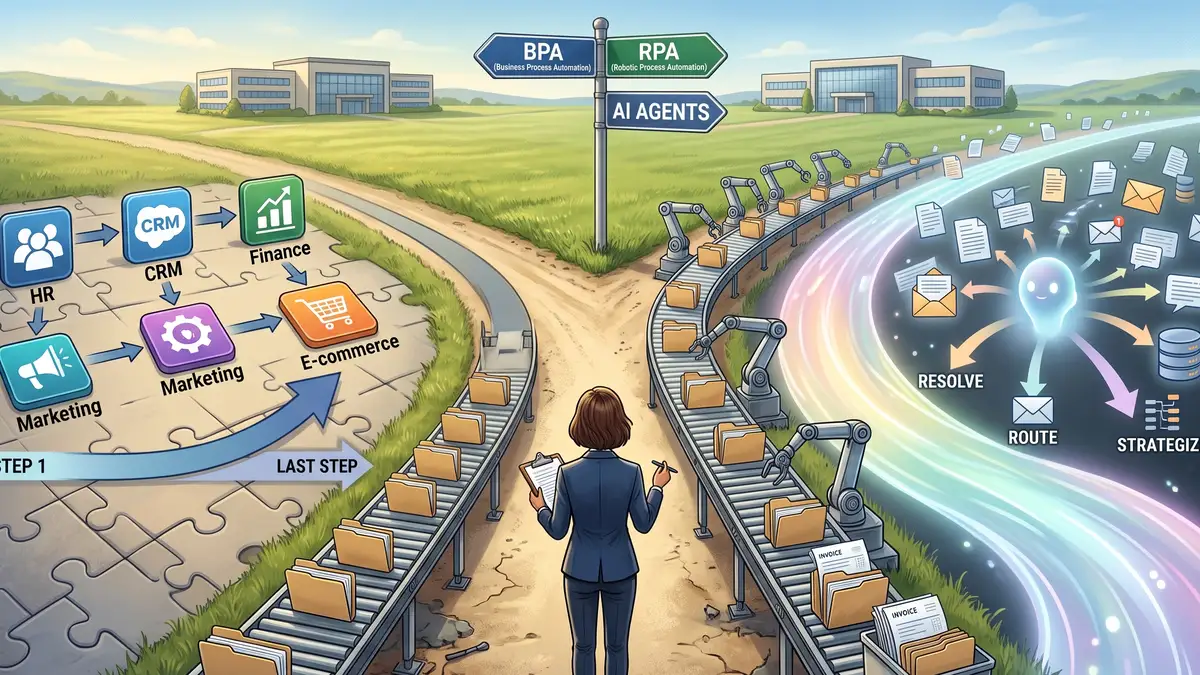
BPA vs RPA vs AI agents: all three promise to automate your business, but they solve different problems, and picking the wrong one can waste months.
Mark is the operations manager at a 60-person insurance brokerage in Columbus, Ohio. Last week, he sat through three vendor demos. The first vendor sold "business process automation." The second pitched "robotic process automation." The third showed an "AI agent" that answered emails on its own.
Each one called its product automation. The prices went from $9 a month to $150 per bot, and one vendor would only say "contact sales." Mark left the last call more confused than when he started.
His real problem is simple. His team spends about 25 hours a week copying data from policy PDFs into two different systems. He needs that to stop. He just does not know which of the three tools actually fixes it.
This guide gives you the answer Mark needed: what each option really does, what it costs, where it breaks, and a simple way to decide in one afternoon.
BPA, RPA and AI agents: what each one really is
The three terms overlap in sales pitches. In practice, they work in very different ways.
BPA: connecting your systems
Business process automation (BPA) connects the tools you already use. When something happens in one app, an action happens in another. A new form submission creates a CRM contact. A paid invoice updates your spreadsheet.
BPA works through APIs, the official "doors" that software offers for other software. It is fast, cheap and stable. If you are new to the idea, start with our introduction to business process automation (BPA).
RPA: a robot that clicks for you
Robotic process automation (RPA) copies what a person does on screen. It clicks buttons, types into fields and copies values between windows. It does not need an API.
That makes RPA useful for old systems that have no API, such as legacy ERPs or government portals. The downside is fragility. If a button moves, the robot can break.
AI agents: software that decides
An AI agent uses a large language model to read, interpret and decide. It can read an email, understand that it is a complaint, check an order and draft a reply. It handles messy, unstructured information that rules cannot.
The trade-off is predictability. An agent can make a wrong call, so it needs limits and human review for anything that matters.
| Aspect | BPA | RPA | AI agents |
|---|---|---|---|
| How it works | Connects apps through APIs | Imitates clicks and typing on screen | Reads, interprets and decides with AI |
| Best input | Structured data (forms, fields) | Structured data in old systems | Unstructured data (emails, PDFs, chats) |
| Follows | Fixed rules | Fixed rules | Goals and instructions |
| Breaks when | An API changes | The screen layout changes | The input is ambiguous or the instructions are vague |
| Typical example | New lead → CRM → welcome email | Copy data from a legacy ERP to Excel | Sort support emails and draft replies |
BPA vs RPA vs AI agents: tools compared
Below are six well-known tools, grouped by type. Prices are for annual billing, consulted in September 2026. They change often, so always check the official page before buying.
| Tool | Type | Skill level | Price (USD/month) | Handles messy data? | Best for |
|---|---|---|---|---|---|
| Zapier | BPA | Beginner | Free (100 tasks/month); Professional from $19.99 | Partly (AI steps) | Simple app-to-app workflows |
| Make | BPA | Beginner to intermediate | Free (1,000 credits/month); Core from $9 | Partly (AI modules) | Visual workflows with branches |
| n8n | BPA + agents | Intermediate | Free self-hosted Community Edition; cloud Starter [DADO A CONFIRMAR: preço em USD] | Yes (AI agent nodes) | Teams with some technical skill |
| Power Automate | BPA + RPA | Intermediate | $15 per user (Premium); $150 per bot (Process) | Partly | Companies already on Microsoft 365 |
| UiPath | RPA + agents | Intermediate to advanced | Basic from $25; Standard and Enterprise by quote | Yes (document AI) | Legacy systems without APIs |
| Microsoft Copilot Studio | AI agents | Intermediate | [DADO A CONFIRMAR: preço por mensagens/créditos, site Microsoft, mês/ano] | Yes | Customer and internal support agents |
Notice the pattern. The line between categories is fading. Most BPA tools now include AI steps, and RPA vendors now sell agents. What matters is the job you need done, not the label on the box.
How to choose the right option in 6 steps
You do not need a consultant for this decision. You need one process, one spreadsheet and one honest afternoon.
- Pick one painful process. Choose the task that eats the most hours each week. Do not try to automate the whole company at once.
- Write it down step by step. List every click, copy and decision. If you cannot describe it, no tool can automate it.
- Check the input. Is the data in fixed fields, like forms and spreadsheets? Or is it free text, like emails and PDFs? Fixed fields point to BPA or RPA. Free text points to an AI agent.
- Check the systems. Do all the apps involved have an API or a native integration in Zapier or Make? If yes, use BPA. If one system has no API, you may need RPA for that part.
- Count the decisions. If every decision fits an "if X, then Y" rule, stay with BPA or RPA. Add an AI step only where a human currently has to read and interpret.
- Run a two-week pilot. Test with real data and a small volume. Measure hours saved and error rate before you sign an annual contract.
To speed up steps 2 to 5, you can ask an AI assistant to classify your process. Paste this prompt into ChatGPT, Claude or Gemini and replace the bracketed part:
You are an automation consultant for small businesses.
Below is a process my team does manually.

[Describe the process step by step: who does it, which apps
are involved, where the data comes from, and how often it happens.]

Answer in this format:
1. Input type: structured or unstructured (explain in one line).
2. Systems involved and whether each one likely has an API.
3. Decisions: list each decision and say if it is rule-based or needs judgment.
4. Recommendation: BPA, RPA, AI agent, or a combination. Explain why.
5. Main risk of automating this process and how to reduce it.
Keep the answer under 250 words.
Treat the answer as a first draft, not a verdict. The assistant does not know your systems. Check the API question directly on each vendor's integrations page.
What it really costs
License price is only part of the bill. Setup time, maintenance and AI usage fees can matter more. The scenarios below are illustrative estimates for a 20 to 200 person company. They are not quotes.
| Scenario | Tool type | Monthly cost (USD) | Hours saved per month |
|---|---|---|---|
| Web leads sent to CRM and email list | BPA | $9–$20 (Make Core or Zapier Professional) | Estimate: 10–20 |
| Weekly report copied from a legacy ERP | RPA | $25–$150 (UiPath Basic or a Power Automate Process bot) | Estimate: 15–30 |
| Support emails sorted and drafted by AI | AI agent | From $16 (Make Pro) + AI usage fees | Estimate: 30–60 |
| Mark's case: data from policy PDFs into two systems | BPA + AI step | $16–$69 (Make Pro to Zapier Team) + AI usage fees | Estimate: 60–90 |
A quick way to judge value: multiply the hours saved by the hourly cost of the person doing the task today. If the result is not at least three times the monthly tool cost, keep looking or pick a smaller scope.
Also budget for maintenance. BPA workflows need occasional fixes when apps change. RPA bots need more, because screens change often. AI agents need someone to review their output and adjust instructions every week, at least in the first months.
Who each option is for (and who it is not for)
Choose BPA if...
Your tools are modern cloud apps, your data lives in forms and spreadsheets, and your rules are clear. This covers most small businesses. Not for you if a key system is old software with no API or integrations.
Choose RPA if...
You depend on a legacy system or a portal you cannot replace, and the task is repetitive and stable. Not for you if the screens change often, or if an API exists. In that case, BPA is cheaper and more reliable.
Choose an AI agent if...
The work involves reading and interpreting: emails, contracts, support tickets, PDFs with different layouts. Not for you if a mistake would be costly and you have nobody to review the output. Agents need supervision, especially at the start.
In our assessment, most small businesses should start with BPA and add one AI step where people currently read documents. Pure RPA makes sense only when a legacy system leaves no alternative. Fully autonomous agents are rarely the right first project. Start where the rules are clear, prove the savings, then expand.
For Mark, that means a BPA workflow with one AI step to read the policy PDFs. No robot clicking through screens, and no fully autonomous agent. You can find more guides like this in our AI & Automation section.
FAQ
What is the main difference between BPA and RPA?
BPA connects applications through their APIs, so data moves directly from one system to another. RPA imitates a person using the screen, clicking and typing in the interface. BPA is usually faster, cheaper and more stable. RPA is useful when a system has no API and cannot be replaced.
Are AI agents replacing RPA?
Not entirely. AI agents handle tasks that require reading and judgment, which RPA cannot do. RPA is still useful for stable, rule-based work in legacy systems. Many vendors now combine both, using agents to interpret documents and RPA or BPA to execute the steps.
Can a small business use RPA?
Yes, but it is rarely the best first choice. RPA tools often cost more and need more maintenance than BPA. For a small business with modern cloud apps, BPA tools like Zapier or Make usually solve the same problem for less. RPA fits when a specific legacy system blocks everything else.
Do I need to know how to code to automate processes?
No. Tools like Zapier and Make are designed for non-programmers and use visual editors. Some coding knowledge helps with more complex setups, such as self-hosted n8n or custom API calls. AI agent builders are also becoming no-code, but they still require clear instructions and testing.
How long does it take to see results from automation?
A simple BPA workflow can run in a few hours. A two-week pilot is usually enough to measure hours saved and error rates on one process. RPA and AI agent projects take longer, since they need testing with real data and adjustments before they are reliable enough for daily use.
Comments (0)
Leave a Reply