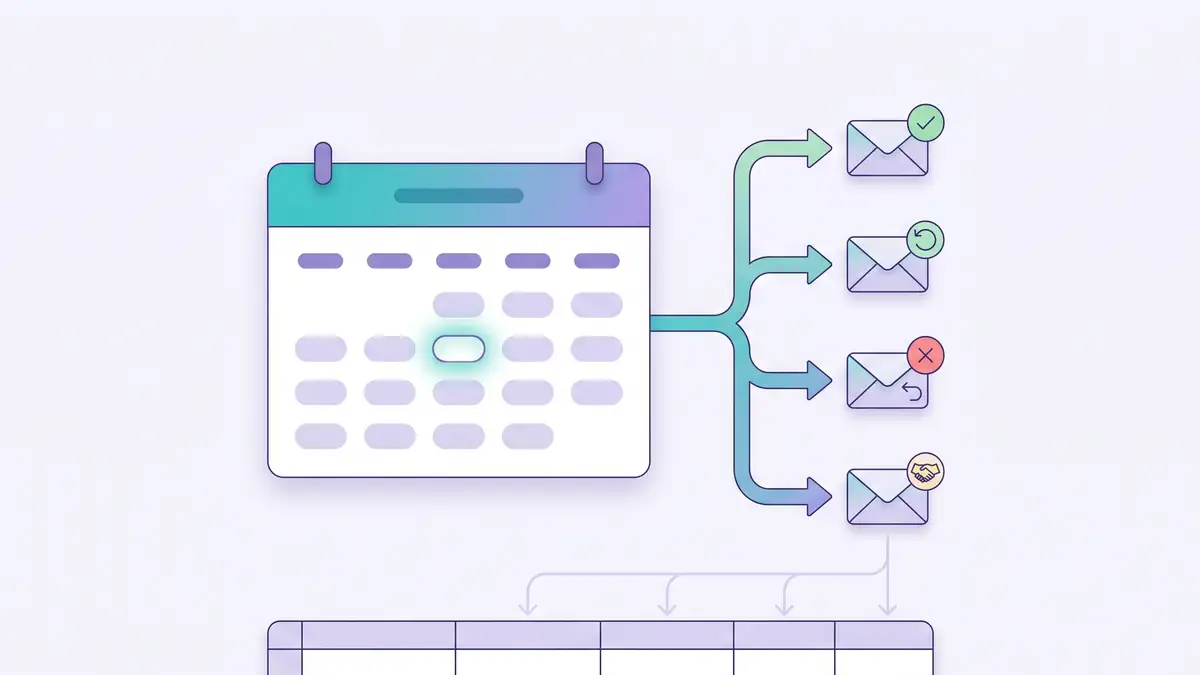
You can automate booking follow-ups by sending every Cal.com event (new booking, reschedule, cancellation and meeting ended) to a single Make webhook, then using a router to send the right email and log each event in Google Sheets. Cal.com already sends confirmations and reminders. This scenario covers what it doesn't: a question before the call, a rebooking link when someone cancels, a thank-you after the meeting, and a log of everything that happened.
I built and tested it for a fictional small business, Brightside Cleaning Co., on the free plans of Cal.com and Make. All four routes ran with real bookings, and the test surfaced five problems worth knowing before you build your own. They are in the "What I learned" section.
Disclosure: the Make and Cal.com links on this page are affiliate links. If you sign up through them, Biz Flow Craft may earn a commission at no extra cost to you. It doesn't change what we recommend.
What you'll build
| Cal.com event | What the client gets | What gets logged |
|---|---|---|
| Booking created | A welcome email asking what they want to cover | New row: BOOKING_CREATED |
| Booking rescheduled | A short note confirming the new time | New row: BOOKING_RESCHEDULED |
| Booking cancelled | An email with a link to book again | New row: BOOKING_CANCELLED |
| Meeting ended | A thank-you and an invitation to reply with questions | New row: MEETING_ENDED |
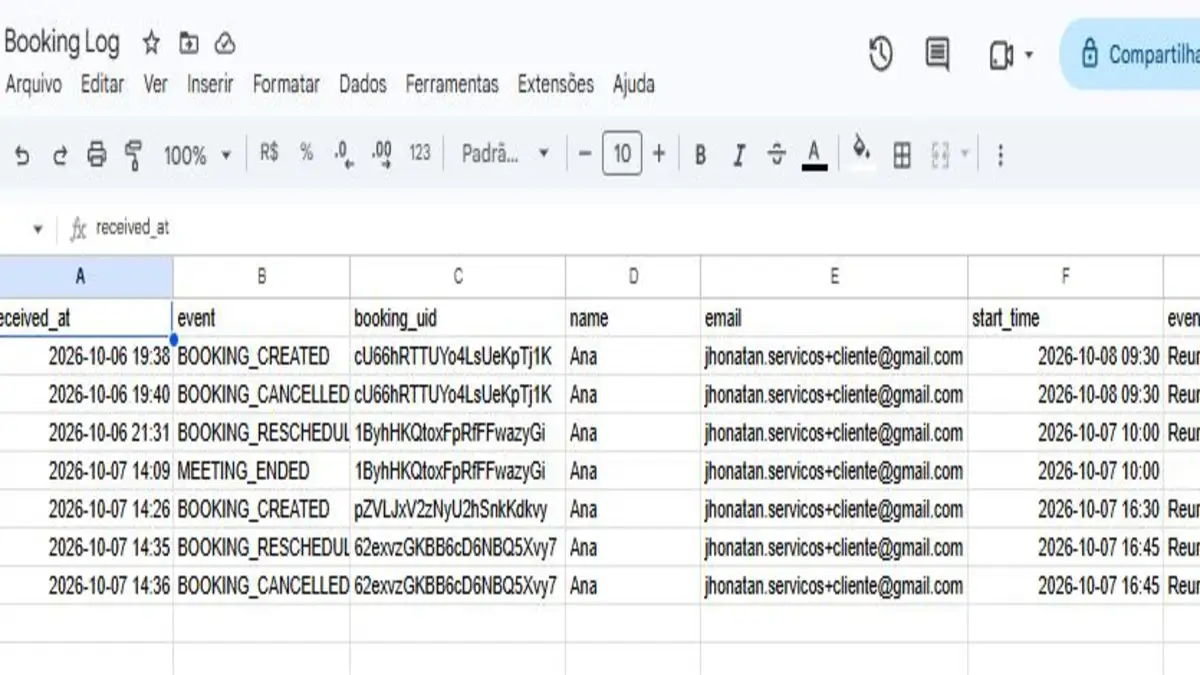
Each event becomes a new row, so the sheet keeps the full history of every booking instead of overwriting it.
Before you start
- A Cal.com account. The free plan is enough: one user, unlimited event types and webhooks. Create one here (affiliate link; new users get 20% off paid plans for 12 months).
- A Make account. The free plan includes 1,000 credits a month. Sign up here (affiliate link).
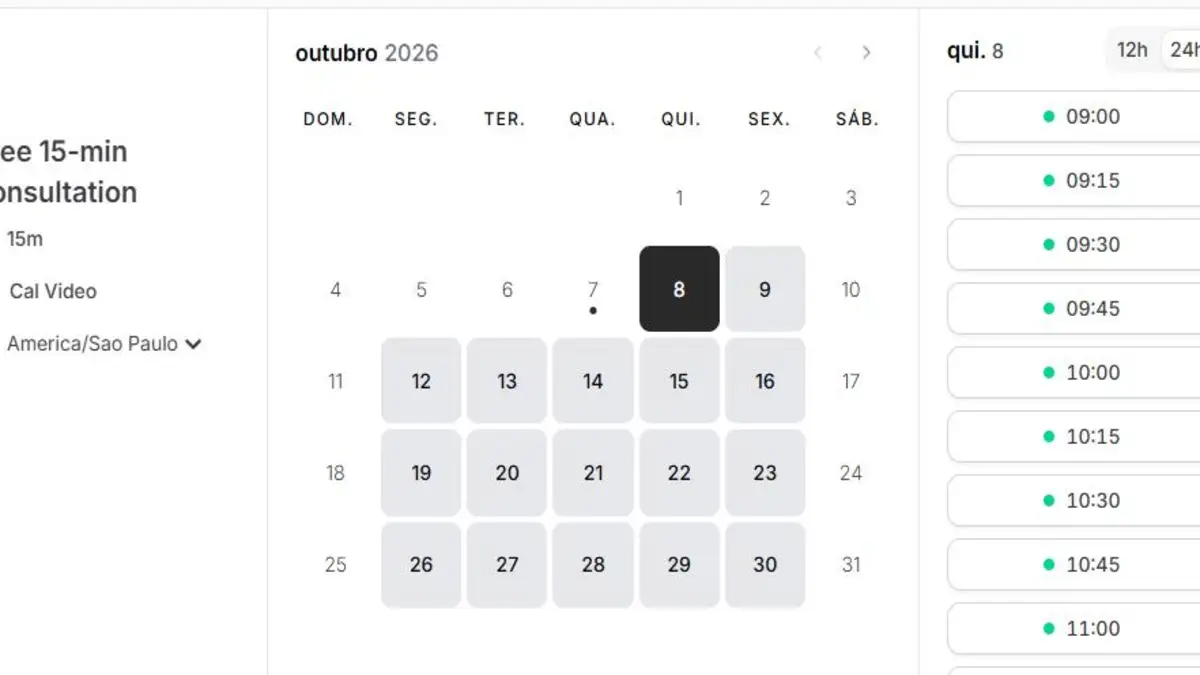
- An event type that uses Cal Video as the location. The "meeting ended" event only fires for meetings held on Cal Video.
- A Google Sheet called "Booking Log", with a tab named
Bookingsand these headers in row 1:received_at,event,booking_uid,name,email,start_time,event_type.
Why one webhook instead of the Cal.com app
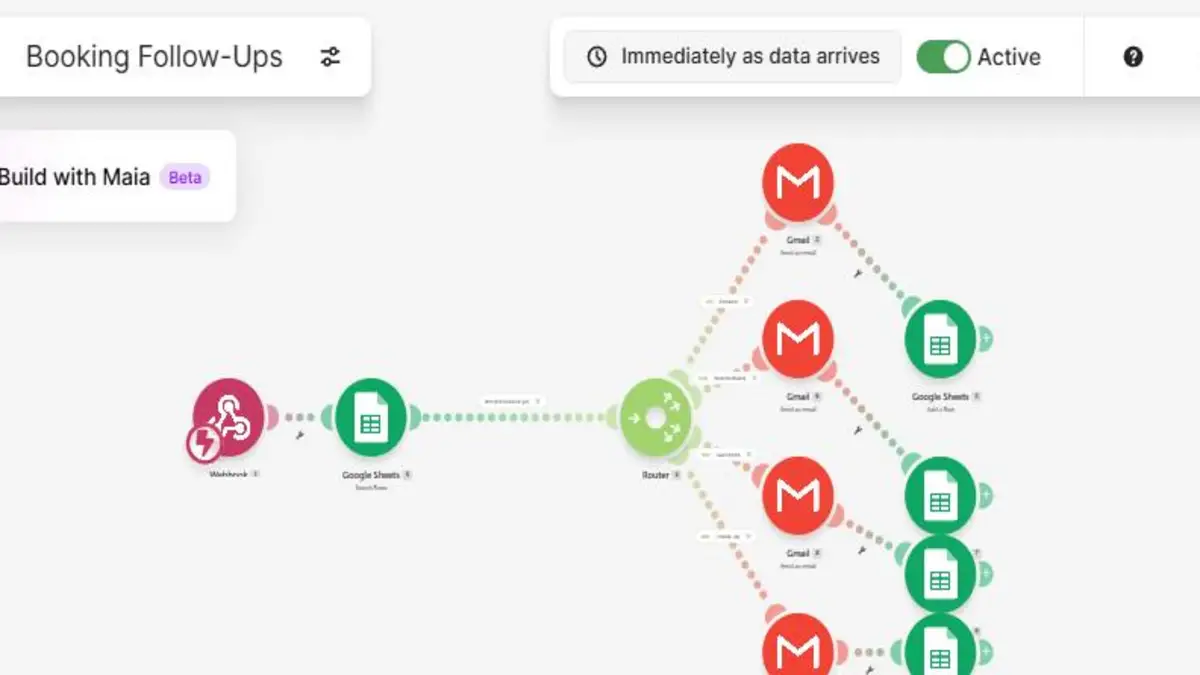
Make has a Cal.com app, and its triggers are instant. But each event is a separate trigger: Watch Booking Created, Watch Booking Rescheduled, Watch Booking Cancelled and Watch Meeting Ended. In Make, a scenario has only one trigger, so the app approach means four scenarios. The free plan allows two active scenarios.
A Make custom webhook receives all four events in one scenario. Cal.com tells you which event it is in a field called triggerEvent, and a router does the rest.
Step by step
-
Create the webhook in Make
Create a scenario, add Webhooks → Custom webhook, click Add and name it
Cal.com bookings. Leave API key authentication empty: Cal.com can't send that header, and Make would reject its requests. Copy the webhook address. Treat it like a password: anyone with it can send data to your scenario. -
Point Cal.com to it
In Cal.com, go to Settings → Developer → Webhooks → New and paste the address as the subscriber URL. Cal.com selects every event by default, and each one would run your scenario and use credits. Click Clear all triggers and add only Booking created, Booking rescheduled, Booking cancelled and Meeting ended.
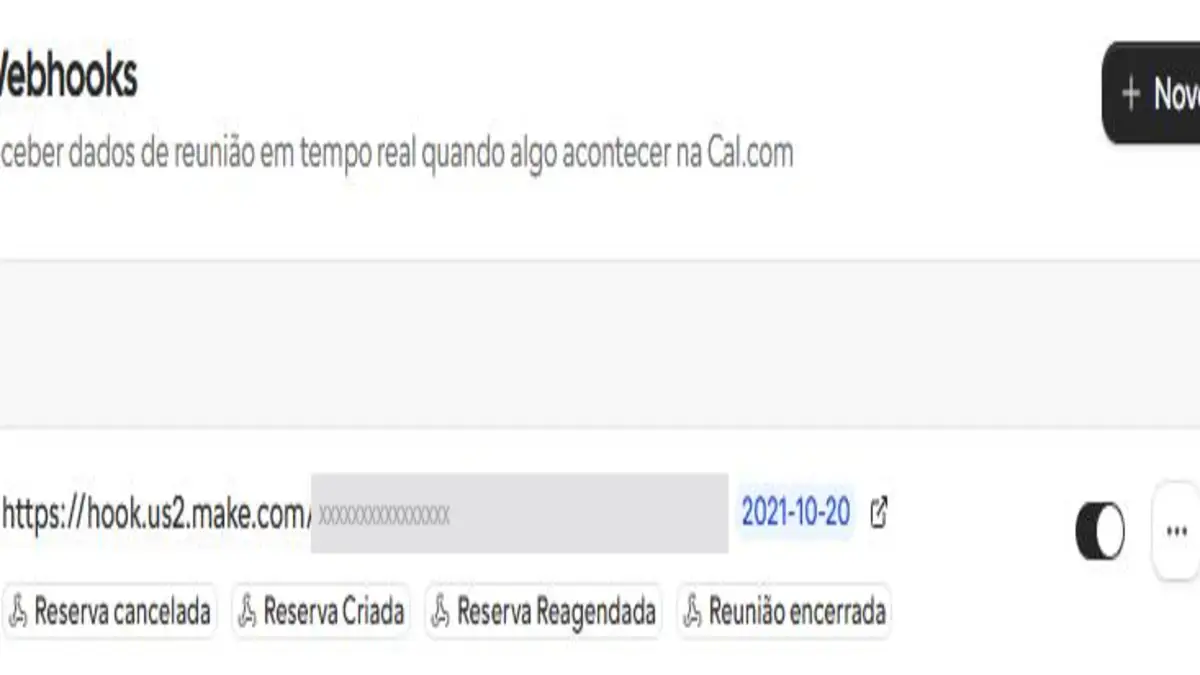
Only the four events the scenario uses. -
Capture a sample booking
Click Run once in Make and book a test meeting on your public page. The webhook learns the data structure. The client's details are inside
payload → attendees[1]:name,firstName,emailandtimeZone.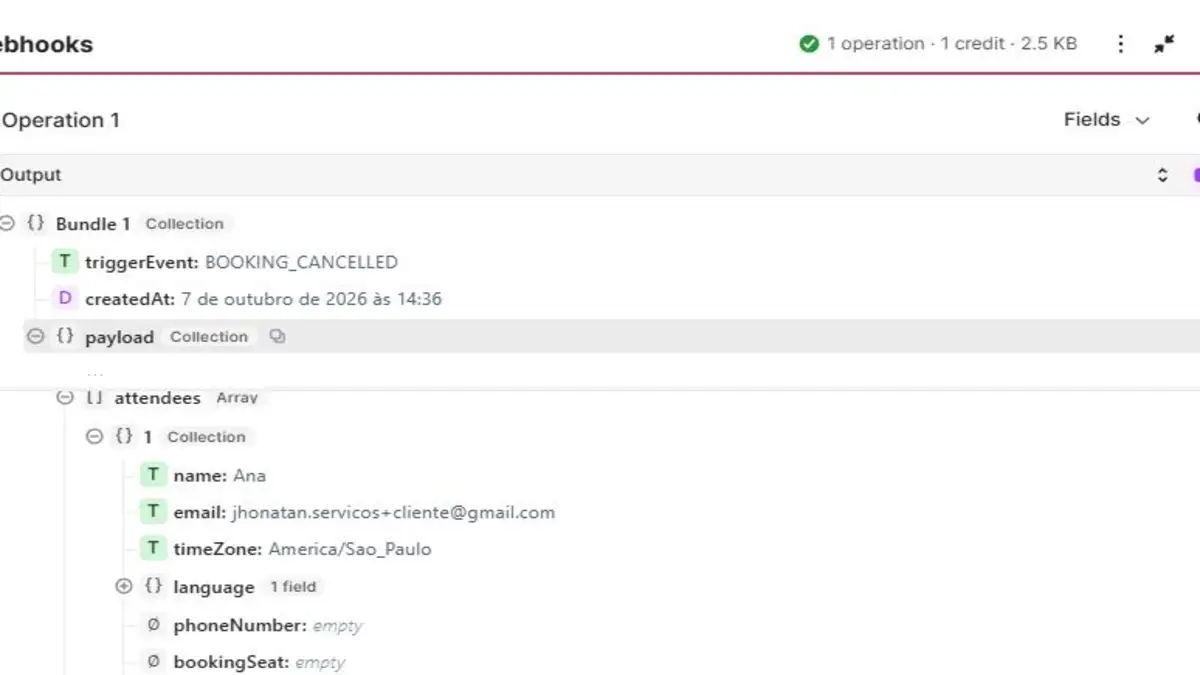
triggerEvent tells the router which route to take. -
Block duplicates
Right after the webhook, add Google Sheets → Search Rows on the Bookings tab, with two conditions:
eventequal to{{1.triggerEvent}}ANDbooking_uidequal to{{ifempty(1.payload.uid; 1.uid)}}. Set the limit to 1. Then add a filter on the next link:Total number of bundles, Numeric operators: Equal to0. If the event is already in the sheet, the scenario stops there. -
Add the router and four routes
Add a Router with four routes. Each route gets a filter on
{{1.triggerEvent}}(Text operators: Equal to), a Gmail → Send an email module with Body type set to Raw HTML, and a Google Sheets → Add a row module.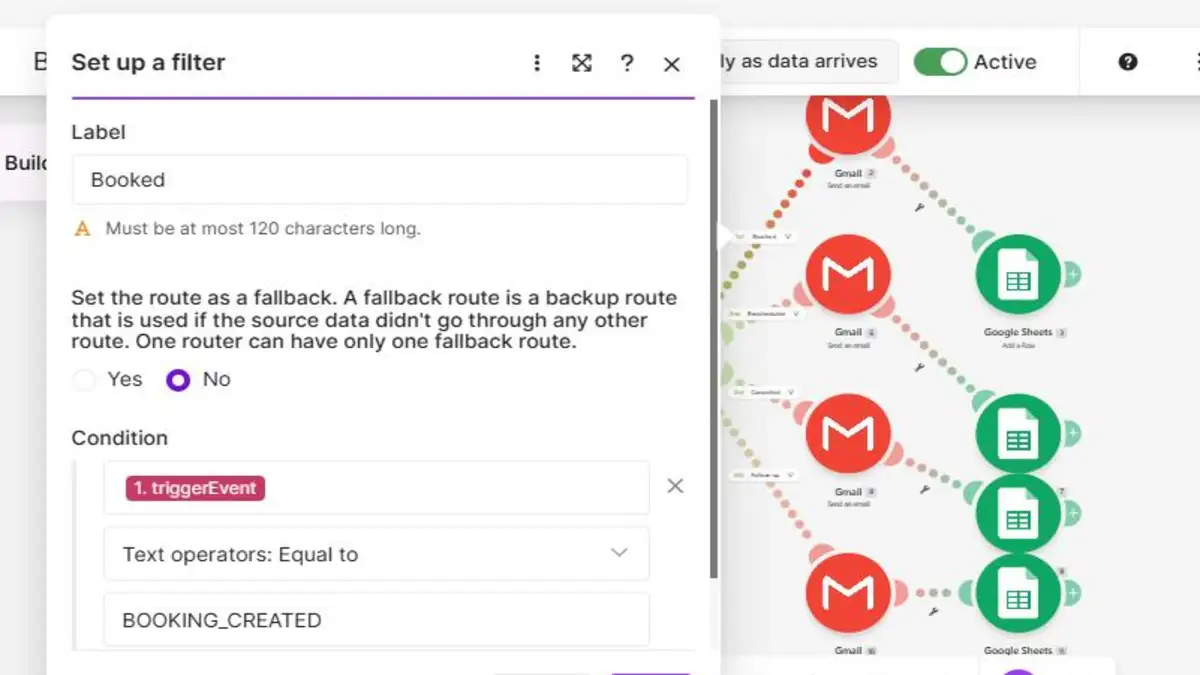
The filter for the first route. The other three only change the value. -
Write the emails
Show the meeting time in the client's own time zone with
formatDate. The emails below are the ones I tested.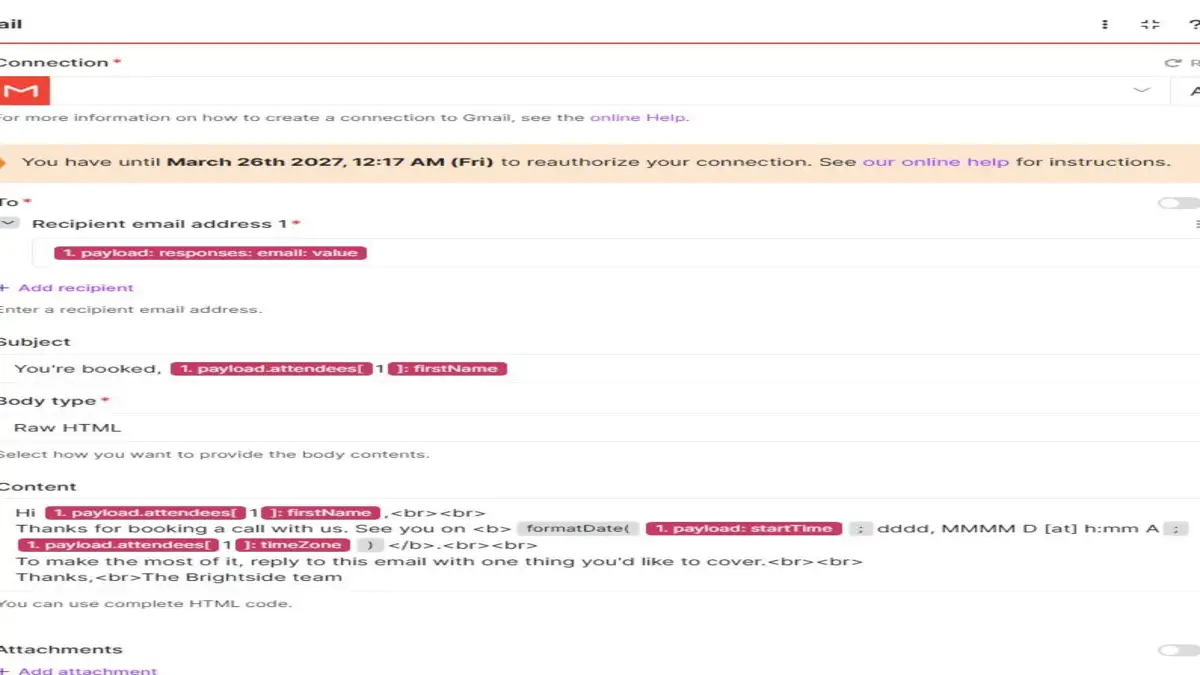
The Gmail module for the Booked route. The other routes only change the subject and text. -
Log every event
Map the same seven columns in each Add a row module (the table is further down). Set the scenario to Active. Because the trigger is instant, it only runs, and only uses credits, when Cal.com sends an event.
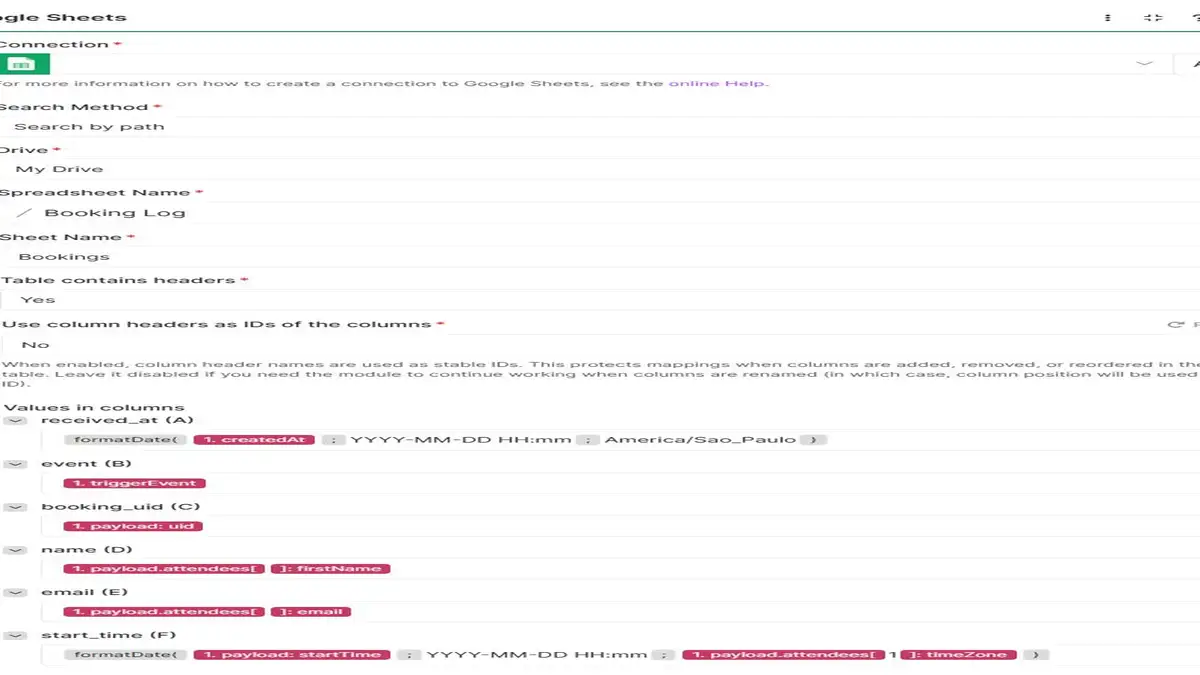
Dates are converted to the client's time zone before they reach the sheet.
The four emails
Booked (filter: BOOKING_CREATED). Subject: You're booked, {{1.payload.attendees[1].firstName}}
Hi {{1.payload.attendees[1].firstName}},<br><br>
Thanks for booking a call with us. See you on <b>{{formatDate(1.payload.startTime; dddd, MMMM D [at] h:mm A; 1.payload.attendees[1].timeZone)}}</b>.<br><br>
To make the most of it, reply to this email with one thing you'd like to cover.<br><br>
Thanks,<br>The Brightside team
Rescheduled (filter: BOOKING_RESCHEDULED). Subject: Your call has a new time
Hi {{1.payload.attendees[1].firstName}},<br><br>
Your call has been moved to <b>{{formatDate(1.payload.startTime; dddd, MMMM D [at] h:mm A; 1.payload.attendees[1].timeZone)}}</b>. No need to do anything else.<br><br>
Thanks,<br>The Brightside team
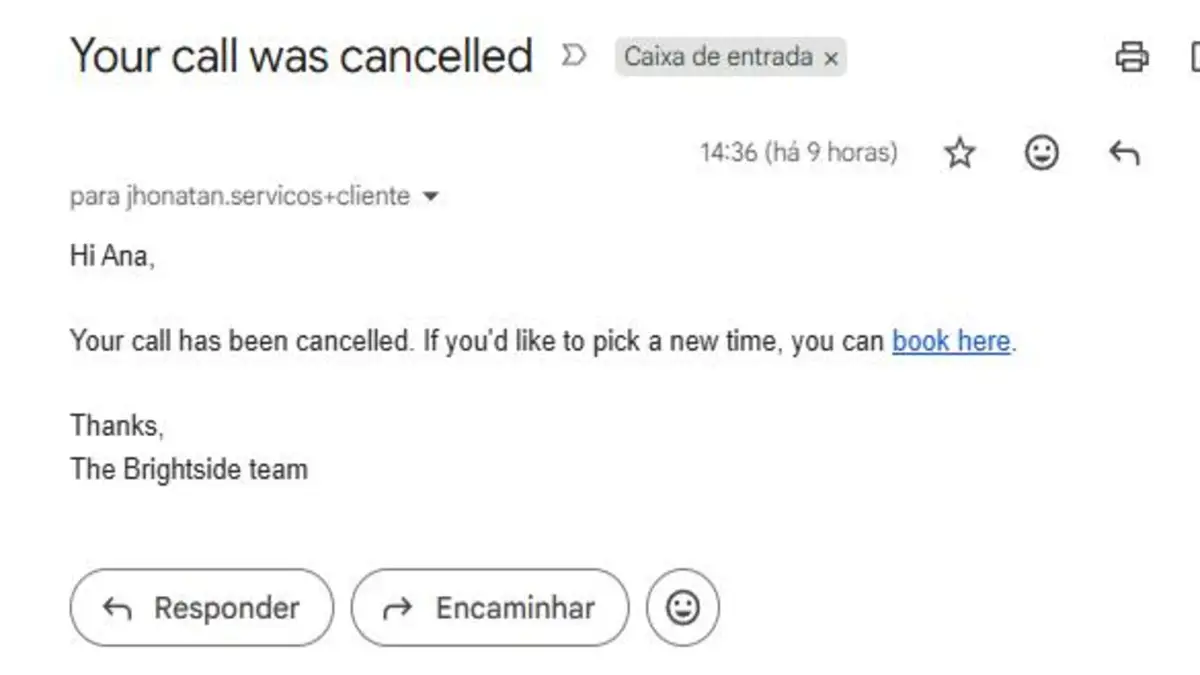
Cancelled (filter: BOOKING_CANCELLED). Subject: Your call was cancelled
Hi {{1.payload.attendees[1].firstName}},<br><br>
Your call has been cancelled. If you'd like to pick a new time, you can <a href="YOUR-BOOKING-PAGE">book here</a>.<br><br>
Thanks,<br>The Brightside team
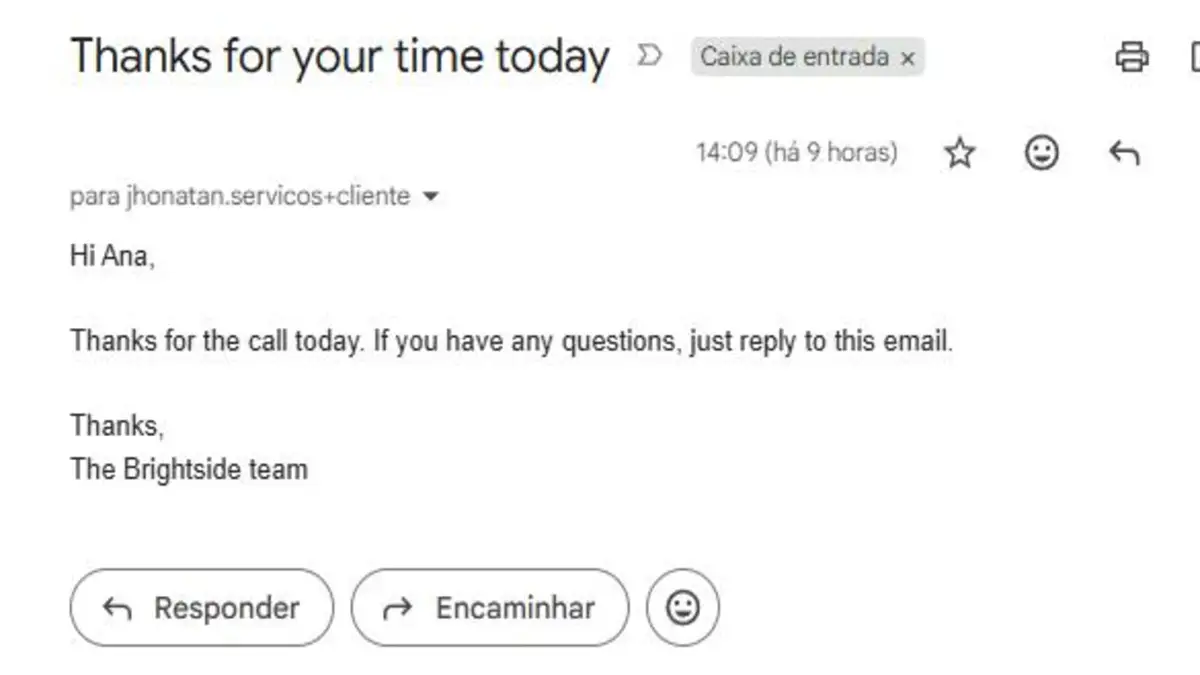
Follow-up (filter: MEETING_ENDED). Subject: Thanks for your time today. This event uses different field paths; see "What I learned".
Hi {{first(split(1.attendees[1].name; space))}},<br><br>
Thanks for the call today. If you have any questions, just reply to this email.<br><br>
Thanks,<br>The Brightside team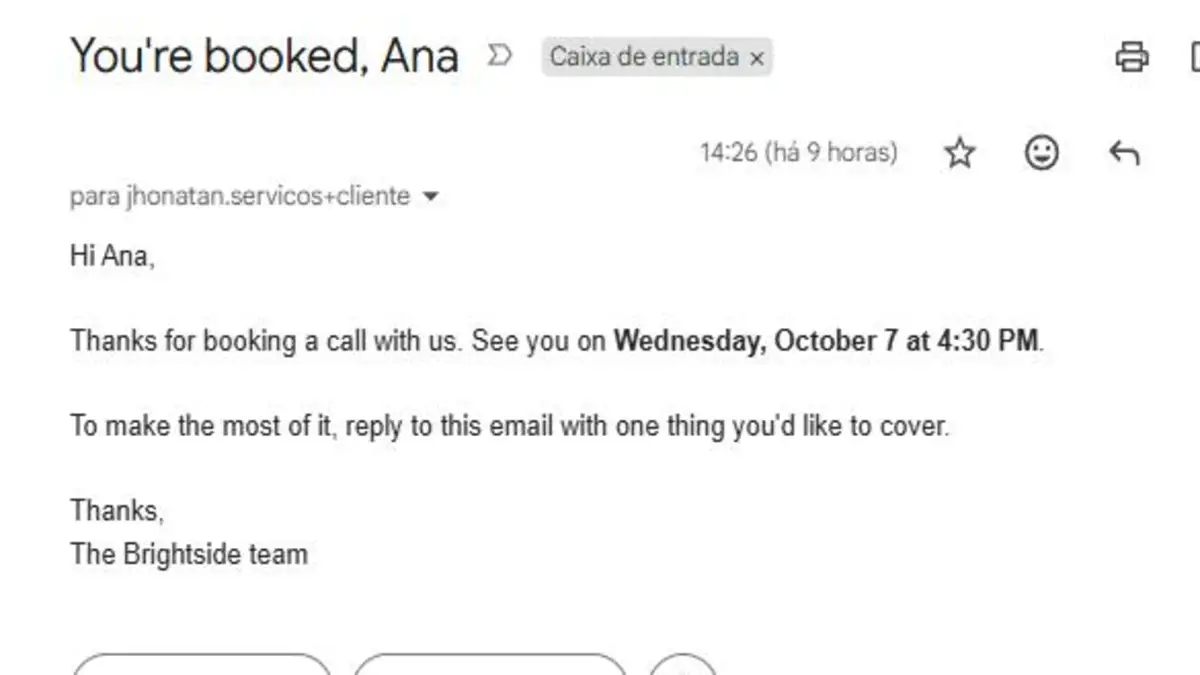
The booking log
| Column | Booking events | Meeting ended |
|---|---|---|
| received_at | {{formatDate(1.createdAt; YYYY-MM-DD HH:mm; America/Sao_Paulo)}} | {{formatDate(now; YYYY-MM-DD HH:mm; America/Sao_Paulo)}} |
| event | {{1.triggerEvent}} | |
| booking_uid | {{1.payload.uid}} | {{1.uid}} |
| name | {{1.payload.attendees[1].name}} | {{1.attendees[1].name}} |
{{1.payload.attendees[1].email}} | {{1.attendees[1].email}} | |
| start_time | {{formatDate(1.payload.startTime; YYYY-MM-DD HH:mm; 1.payload.attendees[1].timeZone)}} | {{formatDate(1.startTime; YYYY-MM-DD HH:mm; America/Sao_Paulo)}} |
| event_type | {{1.payload.eventTypeTitle}} | (empty) |
Replace America/Sao_Paulo with your own time zone.
Testing it
I tested every route with a client email alias (yourname+client@gmail.com), so all messages reached my inbox:
- Booked a meeting on the public page: welcome email and a BOOKING_CREATED row.
- Clicked Reschedule in Cal.com's confirmation email: "Your call has a new time" and a BOOKING_RESCHEDULED row.
- Clicked Cancel in the new confirmation email: the rebooking email and a BOOKING_CANCELLED row.
- Joined and left the Cal Video call: "Thanks for your time today" and a MEETING_ENDED row.
- Replayed the same event in Make: it stopped at the duplicate filter, with no second email.
What it costs
Cal.com's free plan covers one person with unlimited event types. In Make, each event uses about four credits: the webhook, the duplicate search, the email and the sheet row. A booking that is rescheduled once and then held uses about 12 credits. On the free plan's 1,000 credits, that's roughly 80 bookings a month with full follow-up. Make's Core plan starts at $9 a month billed yearly for 10,000 credits. Instant webhooks only use credits when something happens, so there's no cost for idle time.
To check whether that's worth it for your volume, try the automation ROI calculator.
What I learned building it
- The Cal.com app has four separate triggers. Using it means four scenarios. A custom webhook handles all events in one scenario, which matters on a plan with two active scenarios.
- Rescheduling creates a new booking ID. Cal.com cancels the old booking and creates a new one. If you update rows by ID instead of adding them, the rescheduled booking won't match the original.
- "Meeting ended" uses a different format. The other events put the data inside
payload. MEETING_ENDED puts it at the top level, and the attendee hasnamebut nofirstName. Mapping it like the other routes gives empty emails and an error in Gmail. - Cal.com can send the same event twice. Without the duplicate check, one reschedule produced two identical rows and would have sent two emails.
- An empty search still passes a bundle. When Search Rows finds nothing, Make still passes one bundle with
Total number of bundles = 0. Filter on that field directly. Adding an aggregator to count results gave 1 instead of 0 and blocked every event.
Common errors
| What you see | Likely cause | Fix |
|---|---|---|
| Every event sends the welcome email | Filter compares a field with itself, or no router | Filter on triggerEvent against a fixed value |
| Follow-up email fails or is blank | MEETING_ENDED mapped with payload | Use 1.attendees[1] without payload |
| No "meeting ended" event | Meeting not on Cal Video | Set the event location to Cal Video |
| Times are three hours off | Raw UTC time from Cal.com | Wrap it in formatDate with a time zone |
| Only one of two events processed | Testing with Run once | Run once processes one event; activate the scenario to test a sequence |
Looking for more scenarios like this one? See automating client onboarding with Make and automating customer support emails. If you're still choosing a platform, read Zapier vs Make vs n8n.
FAQ
Does Cal.com already send booking confirmations?
Yes. Cal.com sends confirmations, reminders and cancellation notices. This scenario adds what it doesn't send: a question before the call, a rebooking link on cancellation, a follow-up after the meeting and a log of every event.
Can I do this with Calendly instead of Cal.com?
Yes, with a webhook or Calendly's Make app. The event names and field paths are different, so you'd need to remap the router filters and the email fields.
Why does the follow-up need Cal Video?
Cal.com only knows a meeting has ended when it hosts the call. For Zoom or Google Meet meetings, schedule the follow-up from the booking end time instead.
How many bookings does the free Make plan handle?
Each event uses about four credits. With one reschedule per booking on average, 1,000 free credits cover roughly 80 bookings a month with full follow-up.